
Rocket Statements
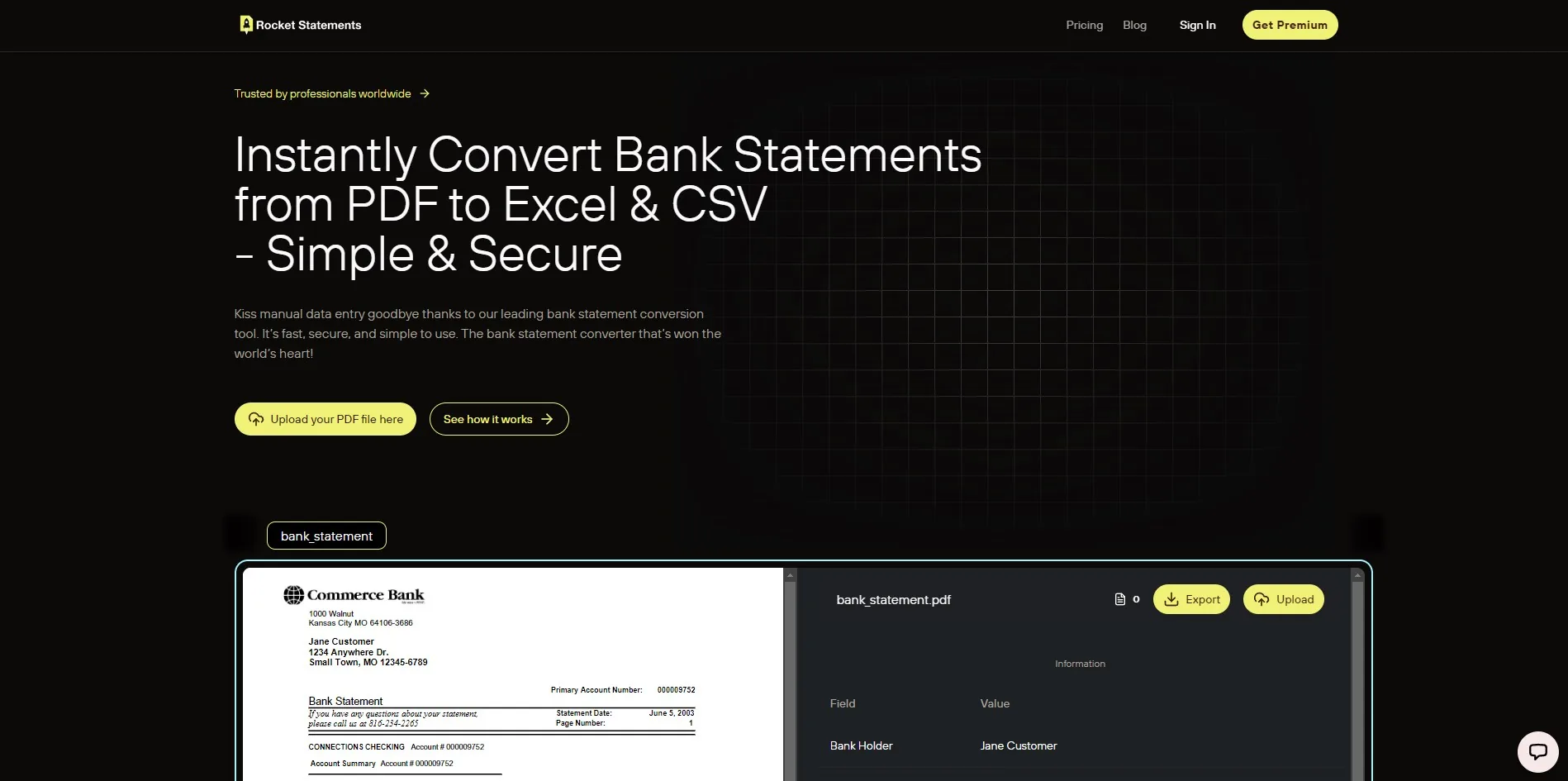
Convert PDF bank statements to Excel, CSV or JSON.
Freemium
- Website
- rocketstatements.com
- Category
- Productivity › AI PDF
- Pricing
- Freemium
- Platforms
- website
💡 Tip: Ask vendors whether appended cover pages, signed receipts, or OCR-error retry pages count as billable pages; this often explains unexpected overages. | Choose the model that matches your dominant cost driver: pages, files, heads, or predictable monthly volume. Below is a quick comparison table to extract apples-to-apples costs. | Checklist vendors should disclose for fair comparison: | Effective price per page at your expected monthly volume (show math for 500, 1,000, 5,000 pages). | Monthly caps, overage rates, and how they calculate billable pages. | Export limits or charges for CSV…
About Productivity tools
Productivity tools help you accomplish a range of AI-powered tasks. Rocket Statements is one option in this category.
About Rocket Statements
Bank Statement Converter Pricing A single misread transaction in a PDF bank statement can cost an accounting firm two hours of reconciliation. Comparing bank statement converter pricing helps firms estimate monthly costs and pick vendors like Rocket Statements. A bank statement converter is a tool that converts user-supplied PDF and image statements into structured, spreadsheet-ready transaction data. Our bank statement converter focuses on PDF-to-spreadsheet conversion, exports CSV, Exc What pricing models do bank statement converters use and how do they differ? Bank statement converters use four common pricing models: per-page, per-statement, per-user (seat), and monthly subscription bundles, and each model shifts the main cost drivers toward page count, statement complexity, team size, or predictable volume. Vendors also hide effective costs with monthly caps, overage fees, export limits, and account features that change the math. Knowing which variables matter to your workflow lets you estimate real monthly spend instead of relying on headline rates.
Features
• Individual statement processing
• Personal finance management
• Small business bookkeeping
• Tax preparation support
Bank Statement Converter
Bank Statement to CSV
Bank Statement to Excel
Bank Statement to JSON
Use cases
Use case 1: • Individual statement processing
Use this capability in a real workflow, not only as a demo.
Use case 2: • Personal finance management
Use this capability in a real workflow, not only as a demo.
Use case 3: • Small business bookkeeping
Use this capability in a real workflow, not only as a demo.
Getting started
- Visit Rocket Statements's website to create an account or start using it
- Available on: website
- Check the pricing page for the plan that fits
Screenshots


Reviews
“💡 Tip: Ask vendors whether appended cover pages, signed receipts, or OCR-error retry pages count as billable pages; this often explains unexpected overages.”
“💡 Tip: Use Rocket Statements' one-time free trial (20 pages) to run a pilot batch and measure actual rework time before committing to a paid plan.”
“💡 Tip: Use the same set of 10–20 statements across vendors so you measure like-for-like accuracy and downstream cleanup time.”
“💡 Tip: Ask vendors to run one of your real-month batches and return an example invoice showing what would have been billed for that month.”
“⚠️ Warning: Confirm data residency and retention controls if your clients require documents to remain in a specific jurisdiction or to be deleted after a set period.”
Related tools
Compare Rocket Statements with other Productivity tools such as Qquest.io, ChatDOC before you pick one.