Productivity · AI Workflow Management
PinMyPrompt
Easily pin ChatGPT links on web pages for quick access and organization.
Paid
- Website
- chrome.google.com
- Category
- Productivity › AI Workflow Management
- Pricing
- Paid
- Platforms
- browserExtension
About PinMyPrompt
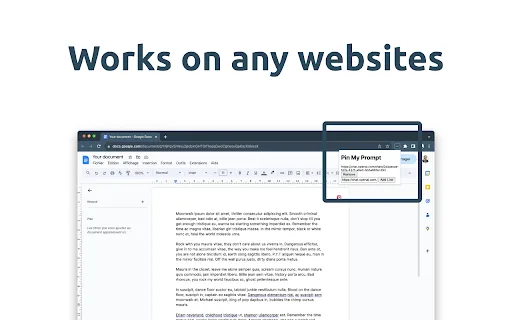
Pin ChatGPT prompts to specific web pages for easy access. Ever found yourself wishing to revisit the exact ChatGPT prompts that gave context to a web page? PinMyPrompt is here to the rescue! A unique extension designed for ChatGPT enthusiasts, it seamlessly pins and organizes the URLs of ChatGPT prompts for your convenience, ensuring you never lose context. How to Use PinMyPrompt? 1. In ChatGPT: Click the top right icon to copy your conversation link. 2. Go to Your Work: This could be Google Docs, Sheets, a social media post, WordPress, or any other site. 3. Click PmP: You'll find this on your browser's top bar. 4. Paste & Save: Put the link in, click "Add link", and you're done! Now you can easily find your ChatGPT links when you need them! Key Features: Easy Access Icon: Spot our discreet icon at the top right of your browser, waiting for your click. Tap to unveil a neatly organized list of all your pinned ChatGPT prompt URLs for that page. Simple URL Pinning: Pinning ChatGPT prompt URLs to your favorite web pages is now just a click away. Watch your pinned list grow; we've got no limits! Coming features : Hassle-Free Link Management: Freely edit, erase, or jump straight into…
Screenshots