Marketing · AI Instagram Assistant
Inksprout
Turn blog posts into engaging videos with captions, bringing text to life across marketing channels.
Paid
- Website
- inksprout.co
- Category
- Marketing › AI Instagram Assistant
- Pricing
- Paid
- Platforms
- website
5 render minutes / month | Recommended | $29 / month | 100 render minutes / month | $79 / month | 500 render minutes / month
About Inksprout
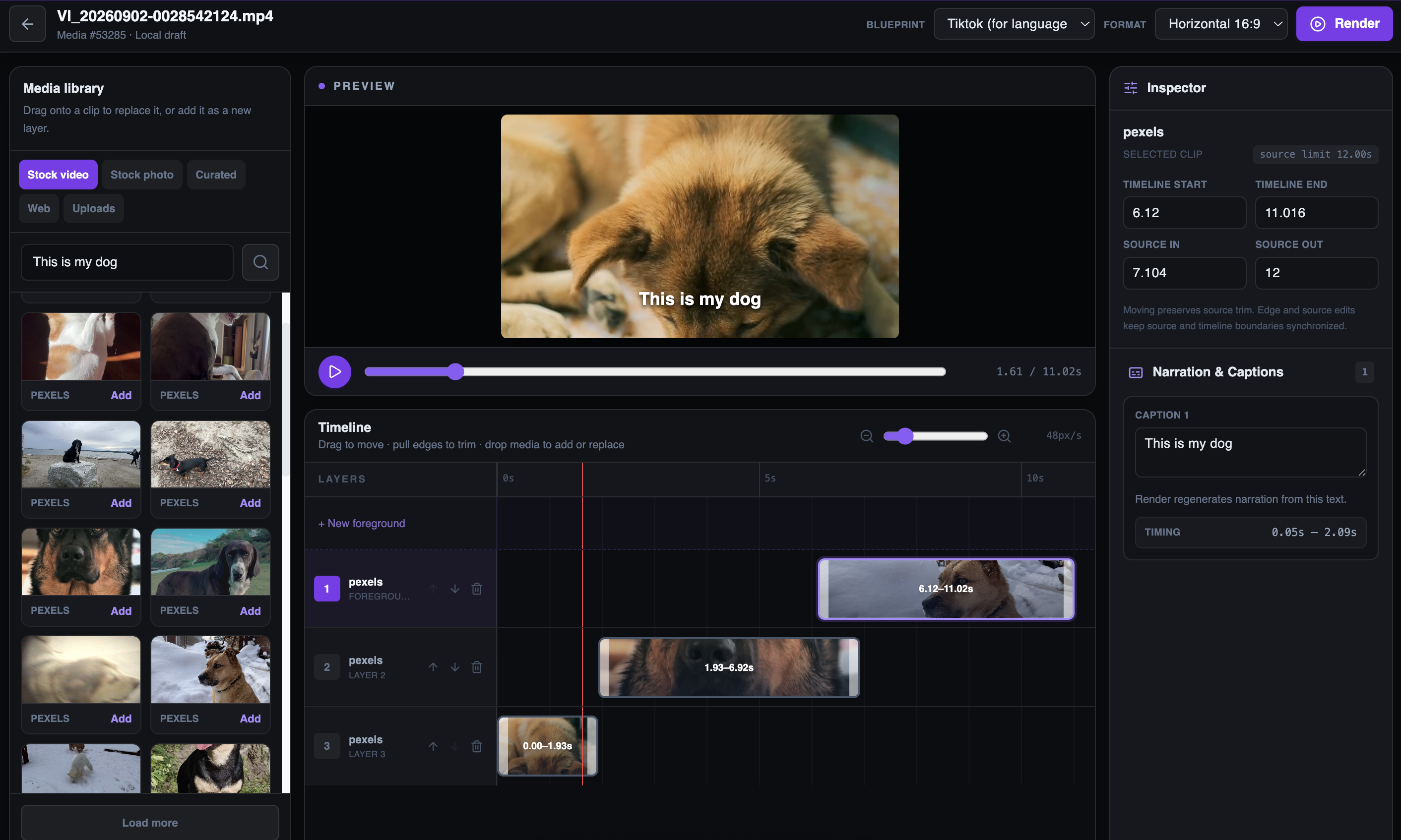
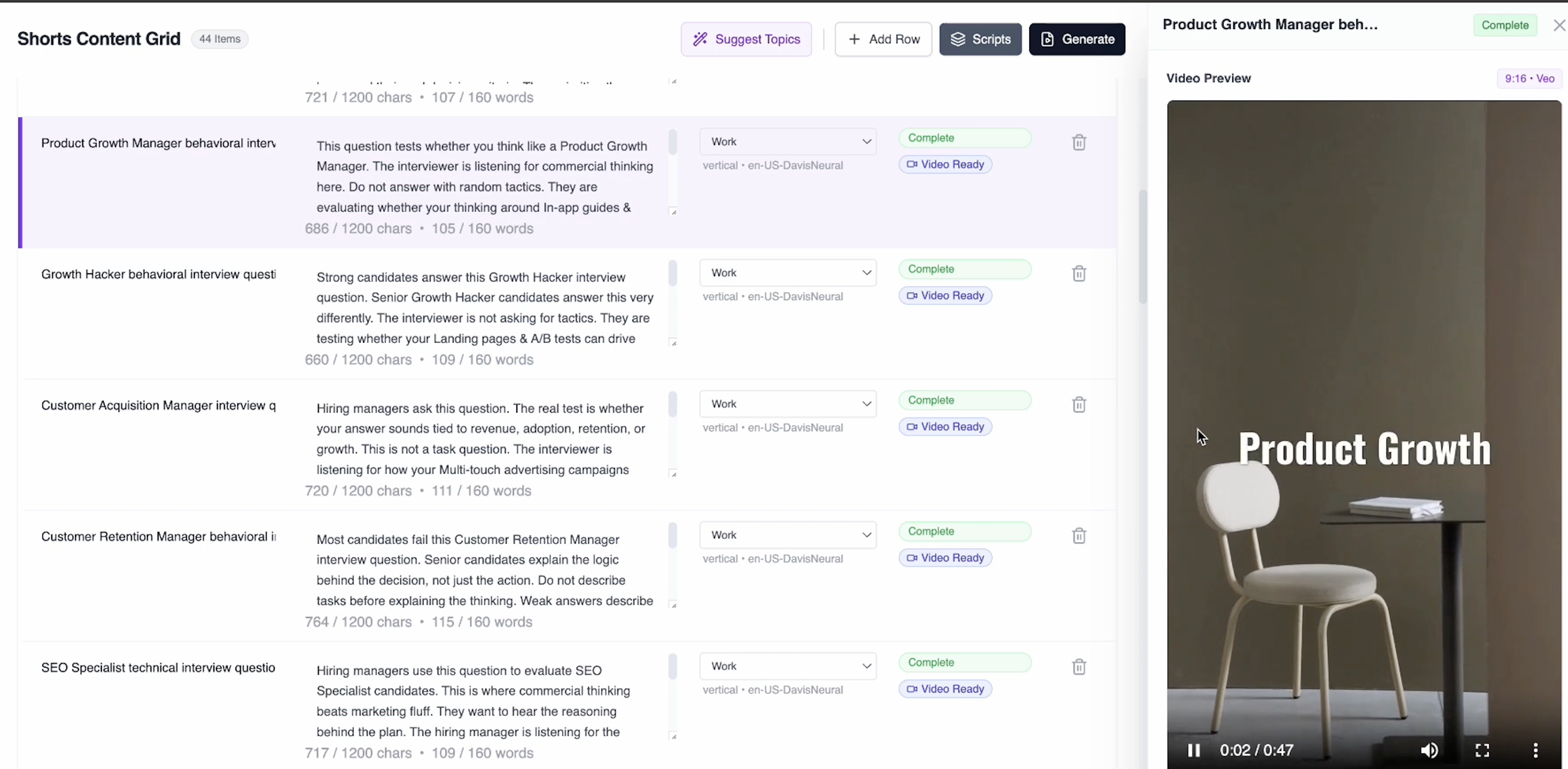
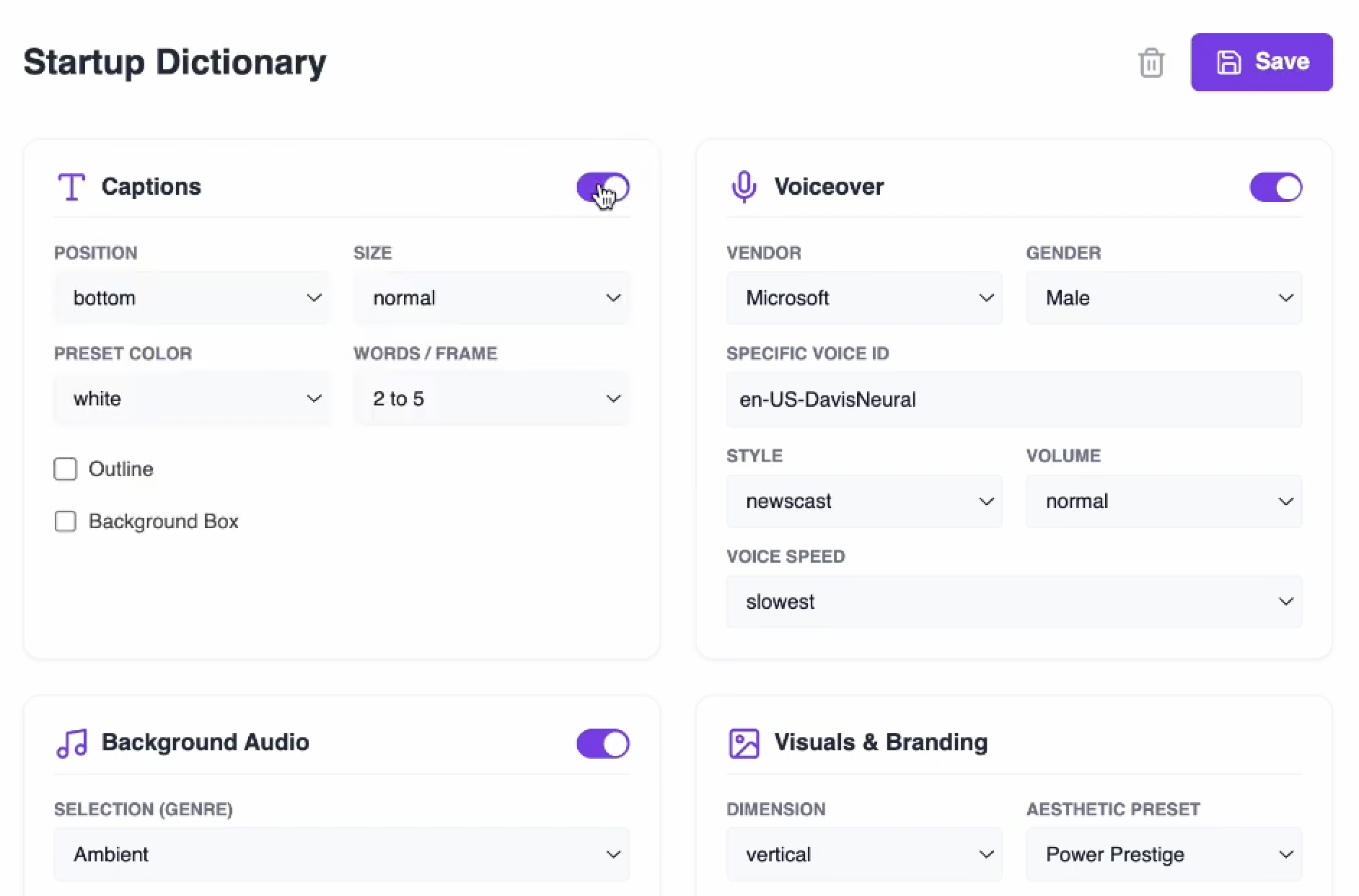
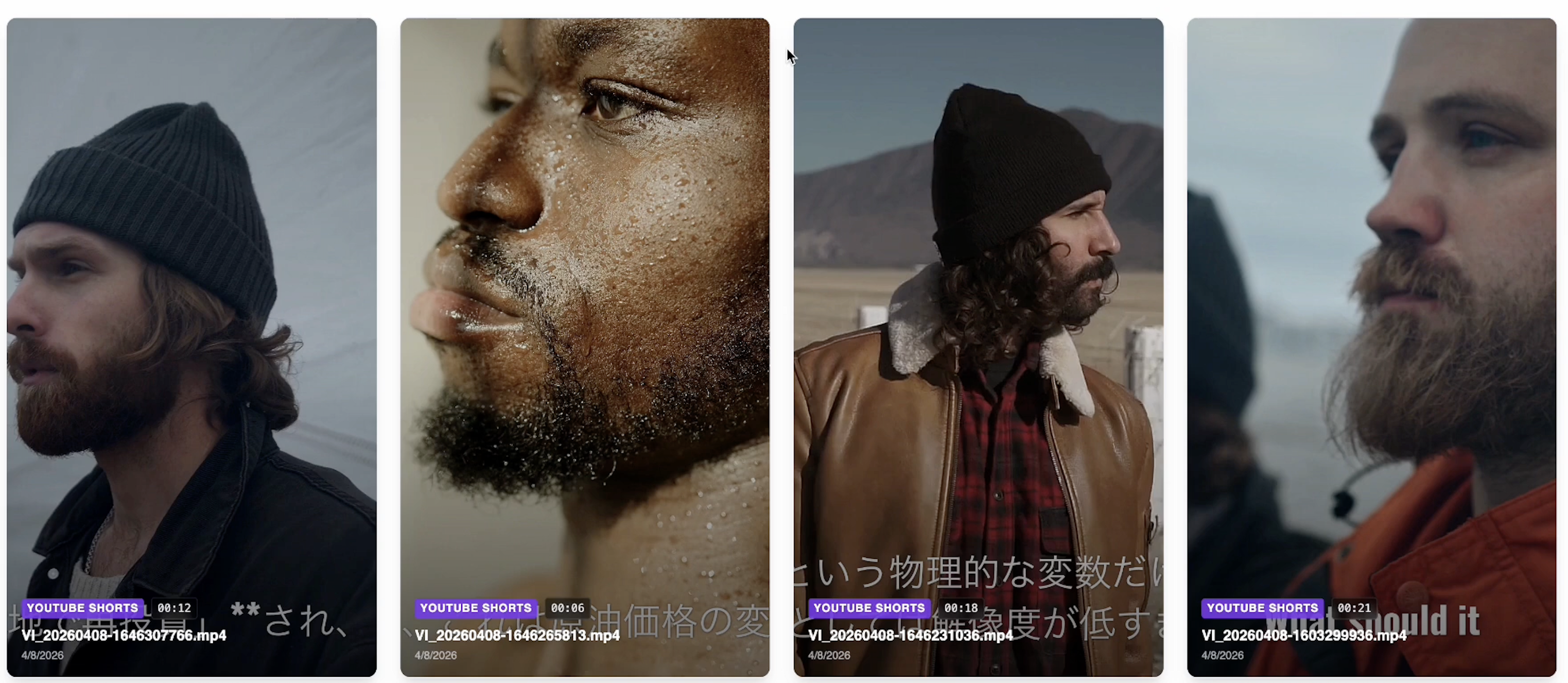
Turn a script into a finished video, review and edit the selected footage, or upload a spreadsheet to generate an entire batch with reusable Blueprints. Turn content into videos — one or hundreds at a time. Use the same production system for the quick one-off and the repeatable content run. Choose how much you want to review. Pick a Blueprint and generate automatically, or open the selected visuals before the first render and make the cut yours. Upload a CSV, map the title and script fields, apply a Blueprint, review the rows, and send the whole batch into production. Earlier interface shown as evidence of an established batch-production workflow. Current Bulk controls are described above.
Features
Replace any shot Drag and trim clips Search stock footage Use your own uploads Change aspect ratio Edit narration and captions
Replace any shot
Drag and trim clips
Search stock footage
Use your own uploads
Change aspect ratio
Edit narration and captions
Use cases
Bloggers turning articles into video content
Marketers distributing videos across marketing channels
Influencers and businesses increasing content engagement
Screenshots
Reviews
““Inksprout solves the problem of having to scour the internet looking for content that can then be quickly curated and repurposed using social media. Because multiple formats of each post are created on the fly it multiplies the efficiency of my output.””
““The video creation is quick and easy. Not as flexible as platforms such as Invideo or Steve.ai for text to video, but I find Inksprout is actually quicker to get to a useable output so I prefer it to the others.””
““I've found it best to simply take a couple minutes of my time and customize the video snippets associated with each line of text. It's quick and intuitive.””