

Code & IT · AI Monitor & Report Builder
DevDynamics
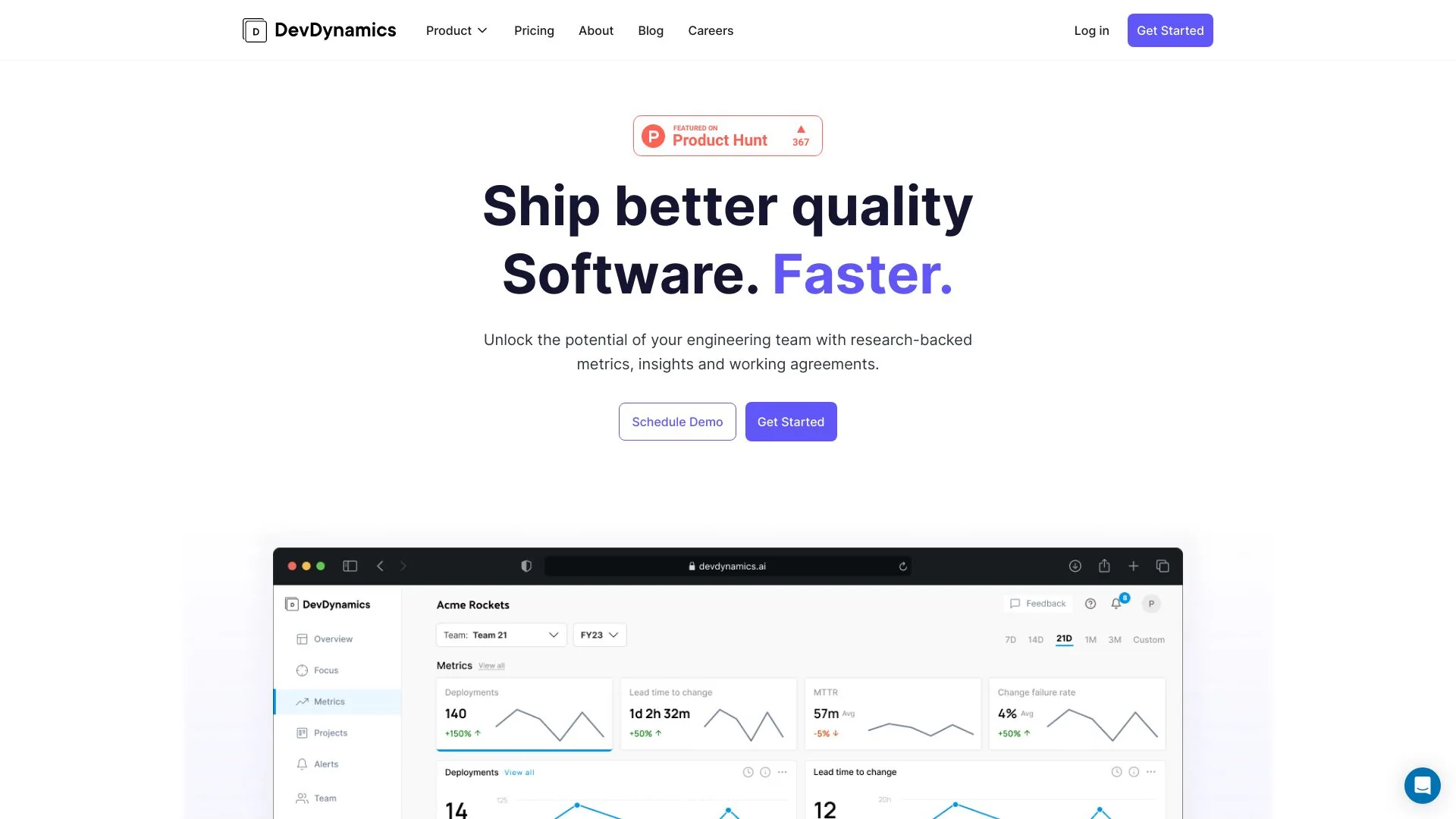
DevDynamics helps engineering teams ship higher-quality software faster by providing metrics and insights.
Freemium
- Website
- devdynamics.ai
- Category
- Code & IT › AI Monitor & Report Builder
- Pricing
- Freemium
- Platforms
- website
Pricing & Plans Get clear engineering metrics to see what’s working and what needs attention. | Pricing & Plans | Get clear engineering metrics to see what’s working and what needs attention. | Free $0 /contributor/mo Start Free Trial | $0 /contributor/mo | Start Free Trial | What's included | Up to 9 contributors
About Code & IT tools
Code & IT tools help you accomplish a range of AI-powered tasks. DevDynamics is one option in this category.
About DevDynamics
DevDynamics offers monthly and annual pricing plans. Users can choose from the Pro, Business, or Enterprise plan according to their organization's needs. Get clear engineering metrics to see what’s working and what needs attention. DevDynamics connects to engineering tools like Jira, GitHub and more to give you a visibility of every repo, initiative and team. You can make data-driven engineering decisions that have a business impact. DevDynamics is a powerful tool for forward-thinking executives, engineering managers and individual developers who want a holistic understanding of how engineering efforts are tied to business goals. Executives can use DevDynamics to gain visibility across all engineering investments. Engineering leaders can gather insights into their team’s performance and make data-driven decisions. Individual developers can use alerts and feedback to improve engineering practices and code quality.
Features
Understand impact of AI tools →
Measure engineering metrics →
Implement developer experience surveys →
Track engineering investment distribution →
Up to 9 contributors
1 Team, up to 3 Git repositories
Standard integrations (Jira, GitHub)
Basic engineering metrics (Cycle time, PR, throughput, DORA)
Use cases
Use case 1: Understand impact of AI tools →
Use this capability in a real workflow, not only as a demo.
Use case 2: Measure engineering metrics →
Use this capability in a real workflow, not only as a demo.
Use case 3: Implement developer experience surveys →
Use this capability in a real workflow, not only as a demo.
Getting started
- Visit DevDynamics's website to create an account or start using it
- Available on: website
- Check the pricing page for the plan that fits
Screenshots


Reviews
“"Powerful and insightful dashboards for engineering analytics. DevDynamics shortens the time and effort needed to assess both team and project wise performance, providing a clear, impactful view of how we’re doing." Mitch Pirtle CTO”
“"Powerful and insightful dashboards for engineering analytics. DevDynamics shortens the time and effort needed to assess both team and project wise performance, providing a clear, impactful view of how we’re doing."”
“"I find the emails from DevDynamics particularly useful as I get an overview of my updates as well as blockers in the engineering team. The info on how we are doing on engineering best practices has helped me have meaningful conversations with the team." Manas P Head of Engineering”
“"I find the emails from DevDynamics particularly useful as I get an overview of my updates as well as blockers in the engineering team. The info on how we are doing on engineering best practices has helped me have meaningful conversations with the team."”
“"I currently manage about 6 to 7 products... it is very difficult for me to be part of every single thing... DevDynamics forms as a great way to get insights into who are my best guys, what is happening, what are the things that are not going well?" Alias V. Head of Engineering”
Related tools

Compare DevDynamics with other Code & IT tools such as ModelsLab, Music.AI before you pick one.