

Checkget AI
Easily perform tasks without copy-pasting.
Paid
- Website
- chrome.google.com
- Category
- Chatbot › AI Chatbot
- Pricing
- Paid
- Platforms
- browserExtension
About Chatbot tools
Chatbot tools help you accomplish a range of AI-powered tasks. Checkget AI is one option in this category.
About Checkget AI
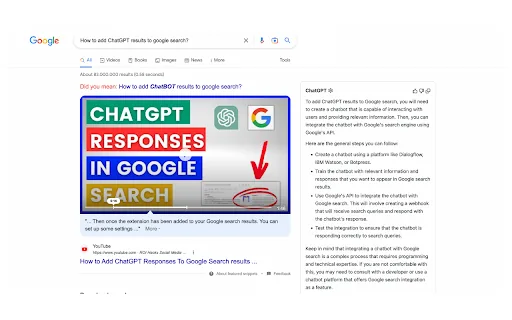
Use ChatGPT on any website by just clicking Cmd/Alt+K. Works on all websites or software. Checkget AI - Smart Assistant for ChatGPT Checkget is an intelligent browser assistant that utilizes the power of ChatGPT to help you accomplish daily tasks efficiently. With Checkget, you can compose emails, find answers, create documents, chat, and write code quickly. 🌎Anytime, Anywhere You don't need to copy and paste; you can open Checkget from any website by pressing ⌘+K (Mac)/Alt+K (Windows) or by clicking on the extension icon, saving you a lot of valuable time. 💪Powerful, or More Powerful ✔️ Write emails. ✔️ Improve writing. ✔️ Fix spelling & grammar. ✔️ Make shorter or longer. ✔️ Change tone. ✔️ Similar pages. ✔️ Code optimize. ✔️ Code explain. 🧠Smart, or Smarter Thanks to the AI boost, it can automatically recognize different scenarios, whether you're replying to an email or explaining code. Just select the text and press ⌘/Alt+K, and it will do the rest. 🔒Privacy and Security, Local Mode Everything you send is encrypted, and only you and ChatGPT know its contents. If you're still worried, you can choose the local mode, which communicates directly with ChatGPT after setting ApiKey…
Getting started
- Visit Checkget AI's website to create an account or start using it
- Available on: browserExtension
- Check the pricing page for the plan that fits
Screenshots


Related tools
Compare Checkget AI with other Chatbot tools such as ModelsLab, Music.AI before you pick one.